ISP CRM and subscriber management
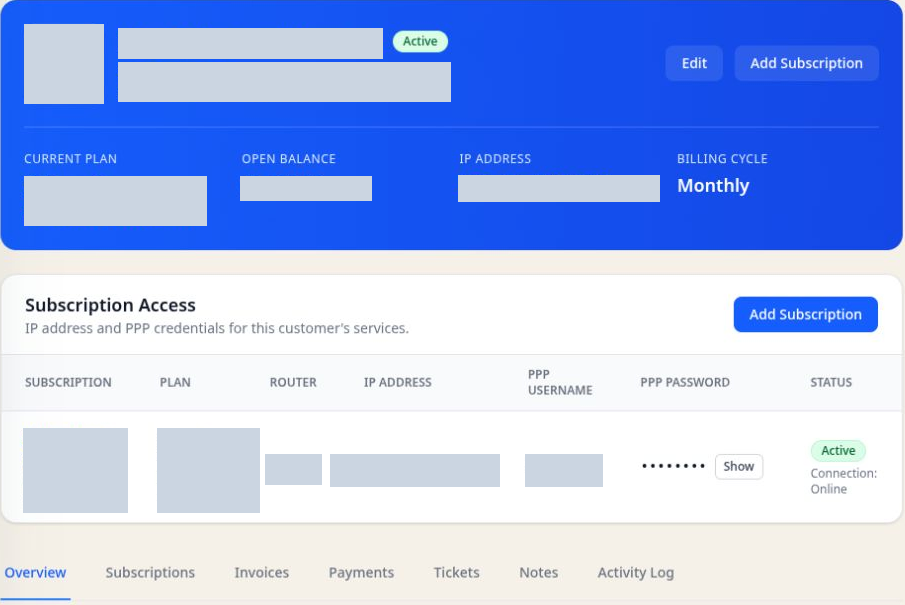
Open a customer record to review subscriptions, service status, invoices, payments, and support history. Give billing and support teams the context they need when a subscriber calls.
Explore ISP CRM →For small and growing MikroTik ISPs
Manage subscribers, subscriptions, invoices, MikroTik routers, RADIUS authentication, and support in one cloud workspace. SkyBase helps small and growing internet service providers keep customer records connected to the services they deliver.
14-day trial. No credit card required. Free plan available for up to 40 subscribers.
Run your ISP. Not your software. Explore on your own, or let us help you get started.
The work in one place
SkyBase is built around the daily operating work of a MikroTik ISP—not a checklist made for every kind of business.
Open a customer record to review subscriptions, service status, invoices, payments, and support history. Give billing and support teams the context they need when a subscriber calls.
Explore ISP CRM →Connect subscriber accounts to their routers and network access. Manage provisioning and inspect active sessions alongside the subscription behind each connection.
Explore MikroTik ISP software →Generate invoices, record payments, and follow unpaid balances from the customer account. Keep recurring billing and service information available to the same team.
Explore ISP billing →See router health, bandwidth, sites, alerts, and IP pool utilization without changing tools.
Coordinate wireless installations and follow-up visits with tickets, assignments, appointments, notes, and materials. Keep the work connected to the subscriber and service location.
Explore WISP CRM →Give customers a clear place to see service, invoices, notifications, and support requests.
Inside SkyBase
Record contact details and the service location, then add a subscription with the agreed plan and billing settings.
Associate the subscription with its router and network settings. Check authentication and service access before handing over to the customer.
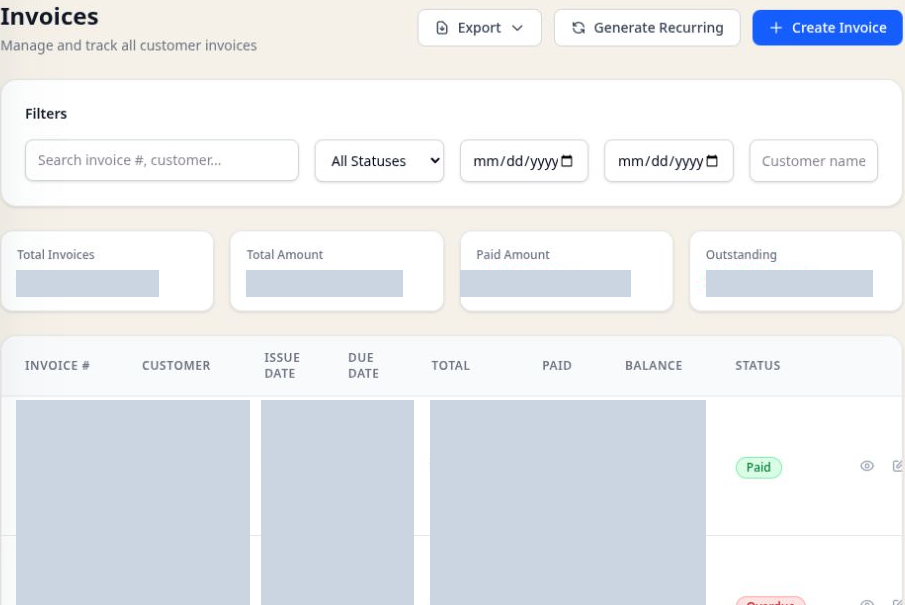
Follow invoices, payments, and tickets from the customer record so the next person can pick up the work.
A note from the founder
Dear ISP owner,
You should not have to become a full-time systems administrator just to run a reliable internet business. SkyBase exists to make the daily work clearer—and to give you a direct path to the person building it.
Bring your current workflow and the parts slowing you down. We will look at them together and find a practical first step.
Abbie Barlowe
Founder, SkyBase Cloud
“Since adopting SkyBase, we've had complete peace of mind. Their system is reliable and their support is always available, responsive and personalised to our needs. Truly exceptional service!”
Simple cloud pricing
Free
$0/month
Up to 40 subscribers. Free forever.
Starter
$69/month
Up to 150 subscribers. For growing ISPs.
Growth
$129/month
Up to 300 subscribers. For scaling ISPs.
An ISP CRM connects customer records to internet subscriptions, billing, network access, and support. SkyBase gives your team a shared account history when a subscriber asks about an invoice or connection.
SkyBase is built for small and growing MikroTik operators, including wireless internet service providers (WISPs). Keep subscriber locations, installations, subscriptions, and support work connected. See WISP management workflows.
Customer subscriptions connect to network settings and service access. RADIUS handles authentication, authorization, and accounting; billing records handle invoices and payments. Review your access method and router requirements during guided setup.
The trial gives you 14 days to evaluate SkyBase without a credit card. The Free plan has no monthly charge and supports up to 40 subscribers. Choose the Free plan if its limits fit your operation, or contact us about a paid plan before your trial ends. Compare plan features and limits.
Start with your subscriber count, export format, billing balances, and network dependencies. We will review the fit during guided setup; transfer support depends on the records and integrations involved. Use the ISP migration checklist.
Bring your payment provider, settlement currency, and invoicing requirements to guided setup so we can confirm compatibility. Invoice and payment tracking alone does not mean a particular online payment gateway is supported.
Book a guided setup
A focused conversation with the founder about your current tools, what takes too long, and the simplest useful first step.
A walkthrough shaped around your business
Honest answers about product fit
No sales handoff